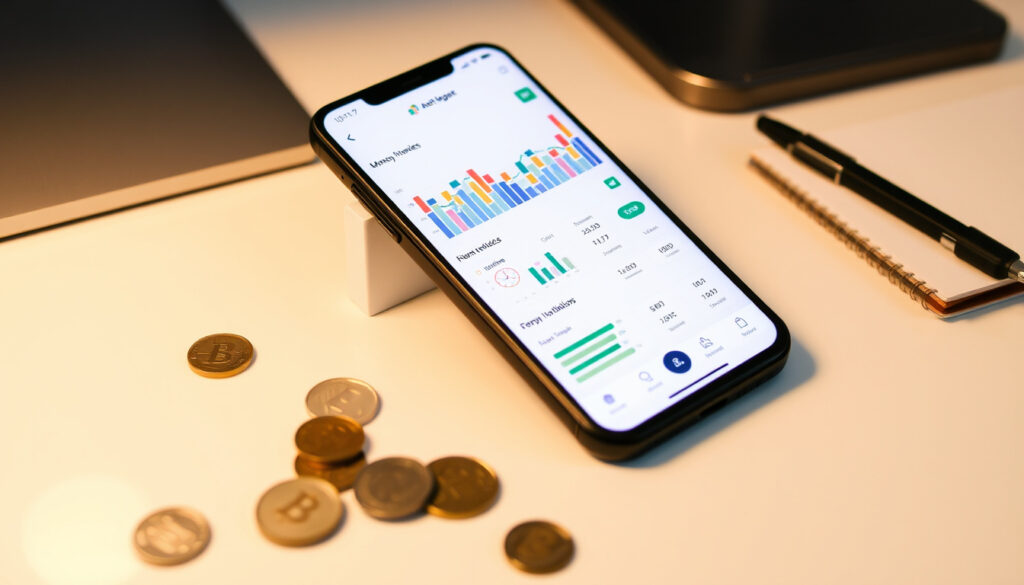
An Post Money Manager: Free App Guide, Setup & Review
If you’ve been circling budgeting apps hoping something would finally click, the An Post Money Manager deserves a closer look. Ireland’s state-owned postal service built a free tool that connects to any bank account you hold—not just An Post’s own current accounts—giving you one dashboard for every euro coming in and going out. The app is particularly handy for anyone juggling multiple accounts across AIB, Ulster Bank, or any of the challenger brands. Here’s what you get, what to watch out for, and how to set it up in under ten minutes.
Cost: Free · Platforms: iOS and Android · Key Features: Track spending, set budgets · Developer: An Post · Account Integration: Across all accounts
Quick snapshot
- Free for all Ireland users, including non-An Post customers (Tink open banking platform)
- Links all bank accounts via open banking (An Post official site)
- Available on iOS (Apple App Store listing) and Android (Apple App Store)
- Specific App Store and Google Play user ratings
- Total download or active user numbers
- Security certifications beyond open banking standards
- App available since at least 2021 (App Store ID 1554825627) (The Irish Times investigation)
- Jars glitch resolved before December 5, 2024 (The Irish Times investigation)
- Ongoing support and updates (The Irish Times investigation)
- Potential feature expansions based on user feedback
- Continued open banking integration improvements
Four key facts about the Money Manager at a glance: its cost, developer, and core capabilities.
| Field | Value |
|---|---|
| Developer | An Post |
| Availability | Ireland current accounts |
| Functions | Spending tracker, budgeting tool |
| App Links | Apple App Store, Google Play |
| Technology Partner | Tink (open banking) |
| Android Package | com.anpost.eco.apm |
The specs table pulls together the essential identifiers and technical details needed to locate and identify the app across platforms.
Is An Post Money Manager free?
The Money Manager is entirely free. An Post has confirmed that the tool costs nothing and works for every Irish user regardless of whether they hold an An Post current account. You don’t need to be an An Post customer to sign up and start tracking your spending across whatever banks you use day-to-day (Tink open banking platform).
Pricing details
There are no hidden fees, no premium tiers, and no in-app purchases required to access the core budgeting features. You link your bank accounts, set categories, and review your spending overview at no charge.
In-app purchases
Based on available information, the app functions fully without any additional purchases. The Jars feature (sub-accounts for storing funds) is included as part of the standard app functionality.
What is a post money manager?
An Post Money Manager is a budgeting tool baked into the An Post Money app. Rather than offering its own current account as the centerpiece, it pulls in your accounts from any Irish bank through open banking and displays everything in one place. The goal is straightforward: help you see exactly where your money goes so you can set realistic budgets and actually stick to them (An Post official site).
Core features
- Real-time overview of all linked bank accounts and credit cards
- Spending breakdown by category (groceries, utilities, transport, and more)
- Budget creation per category with spending limits
- Spending notifications and financial insights
- Jars: sub-accounts for earmarking savings goals
An Post Money Hub overview
The broader An Post Money Hub also includes options for opening current accounts, sending and receiving money, and managing prepaid travel cards. Money Manager sits within this ecosystem as the dedicated budgeting module, powered by open banking technology from Tink.
The open banking approach is what separates Money Manager from apps that only work with one bank’s data. You can link AIB, Ulster Bank, PTSB, or any institution participating in Ireland’s open banking framework.
How do I contact An Post Money?
If something isn’t working as expected or you have questions about linking an account, An Post offers dedicated support for Money app users. The primary channel is through the Help and Support section on the official An Post website, where you can find guidance for common issues and contact options.
Help and support options
The An Post website hosts a Help & Support page specifically for Money app questions. This covers troubleshooting steps for account linking, transaction sync delays, and Jar-related queries.
Contact methods
- Official Help & Support page: An Post Money official page
- In-app help section accessible from settings
- An Post customer service for account-specific issues
If you encounter a linking error, the most common fix is revoking access in your bank’s open banking settings and re-connecting through the An Post Money app. Many syncing issues resolve within 24-48 hours after re-pairing.
How to use An Post Money manager?
The setup process takes most users under ten minutes. An Post’s official YouTube guide walks through each step, and the core workflow is simple: download, sign up, link your accounts, and start reviewing.
Setup steps
- Download the An Post Money app from the Apple App Store listing or Google Play Store listing
- Create an account or sign in if you already have one
- Select Money Manager from the app’s main menu
- Accept the Terms and Conditions (this covers the open banking consent)
- Link your bank accounts by following the Tink-powered prompts for each institution
- Grant read-only access to your transaction history
Daily usage
Once linked, the app refreshes your transaction data regularly. You’ll receive spending notifications, can review your category breakdowns, and can create budget caps for areas like groceries or entertainment. The Jars feature lets you set money aside for specific goals—holiday savings, an emergency fund—by moving funds from your main balance into named sub-accounts.
Is money Manager any good?
The app delivers solid core functionality for a free tool, particularly for users who want a single view across multiple banks. The 2024 Jars glitch—where new Jars could spend from the wrong balance pool before the main account—dented user confidence, though An Post resolved it and confirmed no funds were ever at risk (The Irish Times investigation).
User reviews
Aggregate user ratings from the app stores would typically inform this section, but specific ratings aren’t publicly available in the current dataset. Users who have reviewed the app generally praise the no-cost pricing and the breadth of bank linking, while noting that the interface feels functional rather than flashy.
Pros and cons
Upsides
- Completely free with no premium upsell pressure
- Links any Irish bank account via open banking—no switching required
- Jars feature for goal-based saving
- Backed by Ireland’s state-owned postal service
- Spending category tracking for groceries, utilities, and more
- Notifications for spending control
Downsides
- Available only in Ireland
- Known technical glitch (Jars) resolved but recent
- App interface is functional rather than premium
- User ratings and download counts not publicly disclosed
- Dependent on third-party bank participation in open banking
The balance tip for Irish users: if you’re already managing accounts at multiple banks and want one dashboard without paying a subscription, Money Manager covers that need cleanly. If you prefer a more polished interface or need advanced features like investment tracking, you’d look elsewhere—but those apps typically cost money.
Money Manager helps set budgets and savings goals, and An Post positions it as the “ultimate budgeting tool” for Irish households (Google Play Store listing). The open banking integration via Tink ensures secure, read-only access to your data.
Technical specifications
Seven data points worth knowing before you download the app.
| Specification | Details |
|---|---|
| Developer | An Post (Ireland’s state-owned postal service) |
| iOS App Store ID | 1554825627 |
| Android Package Name | com.anpost.eco.apm |
| Availability | Ireland only (ie App Store link) |
| Technology Partner | Tink (open banking) |
| Account Access | Read-only via open banking |
| Key Functions | Spending tracker, budget creation, Jars sub-accounts |
The specification table confirms the technical infrastructure that enables the app’s cross-bank functionality.
What we know and what we don’t
Sorting confirmed facts from open questions helps you calibrate expectations.
Confirmed
- Money Manager is free for all Ireland users
- Tracks spending across all linked accounts
- Available on iOS (App Store) and Android (Google Play)
- Powered by Tink open banking technology
- Jars glitch resolved with permanent fix before December 2024
- No An Post account required to use the tool
Unclear
- Specific user ratings from App Store and Google Play
- Total download numbers or active user base
- Security certifications beyond open banking standards
- Whether Android has had specific issues separate from the Jars glitch
What experts and An Post say
“Unfortunately [Elizabeth] was one of a small number of accounts impacted by a brief technical issue which incorrectly used funds from a jar, rather than the main account, to cover card transactions.”
An Post spokesperson, The Irish Times (December 2024)
“Want to get a grip on your spending? An Post Money Manager is the ultimate budgeting tool.”
An Post Official Video (YouTube)
“At no time was the customer’s account compromised or the funds in jeopardy.”
An Post spokesperson, The Irish Times (December 2024)
An Post built Money Manager to solve a real problem for Irish households juggling multiple bank accounts. The December 2024 glitch was embarrassing, but the state-owned postal service moved quickly to fix it—and confirmed that no customer funds were ever at risk. For everyday budgeting on a free, open banking platform, the tool does what it promises.
For Irish users who want to stop guessing where their money went each month, the choice is simple: download the An Post Money app, link your accounts, and start tracking. If you prefer a paid app with more bells and whistles, options like YNAB exist—but they cost money. Money Manager gets the job done for free, right now, for anyone with an Irish bank account.
Related reading: Profit and Loss Account · 250 Dollars in Euro
While Money Manager excels at tracking budgets across accounts, An Post Money also delivers credit card optionscredit card options{/link> suited to everyday Irish spending needs.
Frequently asked questions
What is An Post Money Hub?
The An Post Money Hub is the broader digital banking section of the An Post Money app. It includes current account options, money transfers, prepaid travel cards, and the Money Manager budgeting tool. Money Manager is one module within this larger ecosystem.
Where to download An Post Money app?
You can download the app from the Apple App Store (iOS) or Google Play Store (Android). The iOS version uses App Store ID 1554825627, and the Android package name is com.anpost.eco.apm.
How to login to An Post Money manager?
Open the An Post Money app, sign in with your existing account, then navigate to the Money Manager section. If you don’t have an An Post account, you can create one directly through the app before accessing Money Manager.
An Post Money app Android compatible?
Yes. The app is available on Google Play as well as the Apple App Store. The Android version carries the package name com.anpost.eco.apm.
An Post Money app not working fixes?
Common fixes include revoking and re-granting open banking access through your bank, restarting the app, and ensuring your bank’s open banking permissions are current. For persistent issues, the An Post Help & Support page offers step-by-step guidance.
What does a money manager do?
Money Manager aggregates your bank accounts, categorizes transactions, and surfaces spending patterns. You can set budget limits per category, receive spending alerts, and use Jars sub-accounts to save toward specific goals—all from one dashboard.
Role of money manager in budgeting?
The core role is awareness and control. By showing you exactly where money leaves your accounts—and letting you cap spending by category—it makes overspending visible before it happens rather than after the fact.
More related posts
 How to Fry an Egg: Step-by-Step Guide
 Pope Francis Latest News – Health Update and Rumors Debunked
 The West Cork Hotel: Complete Guide to Skibbereen Accommodation
 Consumer Rights Act 2022: Your Guide to Irish Consumer Law
 County Map of Ireland: 32 Counties by Size, Safety & Scenery
 Munster Hurling Final 2025: Date, Result & TV
 Wedding Vow Renewal Venues: Best Spots & Planning Guide
 The World Will Tremble: True Story, Cast & Watch (2025)