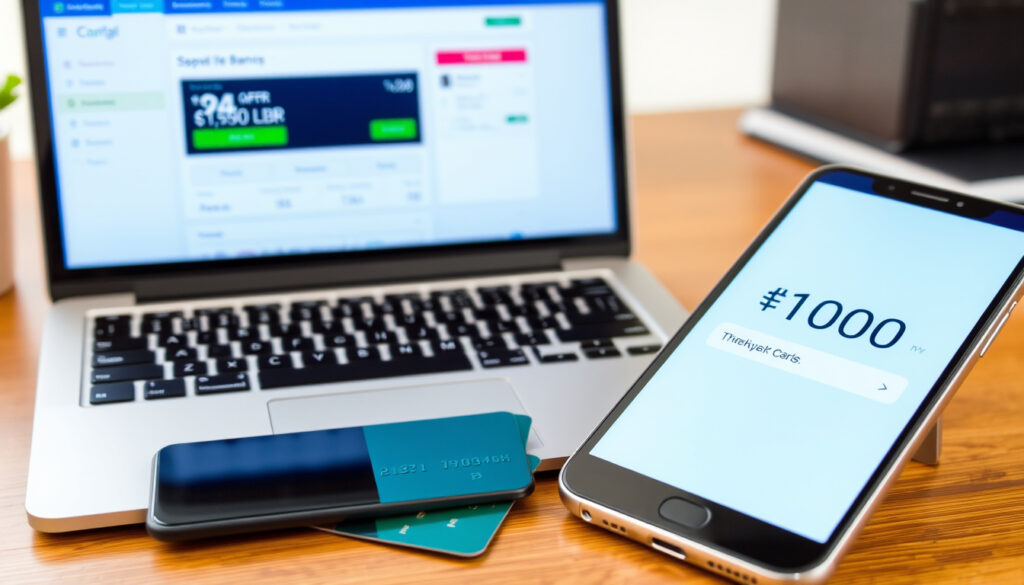
Perx Get My Balance: Check Online, Phone, App & Activate
If you’ve just received a Perx reward card, you’re probably wondering how to see what’s on it. Checking your balance is simpler than you might think, and there are three official ways to do it. This guide walks you through each method, how to activate your card, what you can do with it in shops and online, and what to do if something goes wrong — all using the options provided by Perx Rewards (official card issuer).
Online balance check URL: perx.getmybalance.com ·
Phone balance check: Available via IVR (automated phone system) ·
Mobile app: Perx Rewards app (iOS and Android) ·
Activation required: Yes, before first use ·
Card types: Gift cards and reward cards
Quick snapshot
- Online at perx.getmybalance.com (Perx Rewards – Cardholders)
- By phone via IVR (Perx Rewards – Cardholders)
- Via Perx Rewards app (Perx Rewards – FAQs)
- In-store at major retailers (Perx Rewards – Home)
- Online purchases (Perx Rewards – Cardholders)
- Add to Google Wallet (Apple App Store (App Store listing))
- Activate before first use (Perx Rewards – FAQs)
- Transfer not available (Perx Rewards – FAQs)
- Contact support for issues (Perx Rewards – FAQs)
- Activate your card online or via the app (Perx Rewards – FAQs)
- Enable 3D Secure for online shopping (Perx Rewards – Cardholders)
- Add to Apple Wallet or Google Wallet for tap-and-pay (Apple App Store (App Store listing))
Here is a quick reference table with the key facts about Perx cards.
| Attribute | Value |
|---|---|
| Official website | perxreward.com (Perx Rewards – Home) |
| Balance check portal | perx.getmybalance.com (Perx Rewards – Cardholders) |
| Phone support | IVR number on cardholder page (Perx Rewards – Cardholders) |
| Mobile app | Perx Rewards (iOS/Android) (Perx Rewards – FAQs) |
| Activation required | Yes (Perx Rewards – FAQs) |
| Card type | Gift / reward card (Perx Rewards – Home) |
How do I check my perx balance?
Checking your Perx card balance comes down to three official paths — each works at any hour and uses the same account dashboard at perx.getmybalance.com as the backbone. Which one fits depends on whether you have the card in hand or prefer a quick tap on your phone.
Check online at perx.getmybalance.com
- Visit perx.getmybalance.com and log in to your account (Perx Rewards – Cardholders).
- The dashboard shows your current balance and recent transactions (Perx Rewards – Cardholders).
- If you haven’t created an account yet, you will need to do so before checking the balance (Perx Rewards – FAQs).
The trade-off: This method works for both physical and digital cards, but you must set up an account first. For most cardholders in Ireland, creating the account is a one-time step that takes under three minutes.
Check by phone using IVR
- Physical cardholders can call the IVR line and select the balance option (Perx Rewards – Cardholders).
- The phone number is provided on the cardholder page at perxreward.com/cardholders.
- You will need your card number and security code to authenticate (Perx Rewards – FAQs).
The catch: This works only for physical cards. Digital cardholders must use the Get My eCard app instead.
Check via the Perx Rewards mobile app
- Digital cardholders can view balance and transaction history in the Get My eCard app (Perx Rewards – FAQs).
- The app is available for download from the Apple App Store (official app store) and Google Play Store (Perx Rewards – FAQs).
- After logging in with the email address used at registration, the app displays card details, including the balance (Perx Rewards – FAQs).
The pattern: The app is the fastest method for digital cardholders, but physical cardholders need additional steps to link their card to the app.
If you hold a digital Perx card, the Get My eCard app is the single fastest way to check your balance — no phone call, no browser login. Physical cardholders in Ireland can use the online portal at perx.getmybalance.com for the same result within 30 seconds of logging in.
Can you use a Perx card in shops?
Perx gift cards are accepted at an enormous number of locations — Perx Rewards (official card issuer) states they can be spent in 50 million locations worldwide. But there are important differences between physical and digital card usage.
Using Perx cards in physical stores
- Perx cards are accepted at most major retailers that accept Visa/Mastercard, depending on the card type (Perx Rewards – Home).
- Some Perx cards may be restricted to specific merchants (Perx Rewards – FAQs).
- For physical cards, you can use them as you would any prepaid card — just swipe or tap at the register (Perx Rewards – FAQs).
The implication: The 50-million-location figure is impressive, but it’s worth checking whether your specific card carries merchant restrictions before you shop.
Using Perx cards for online purchases
- Online use requires enabling 3D Secure on the card (Perx Rewards – Cardholders).
- To enable 3D Secure, log in to your account at perx.getmybalance.com, go to My Cards, select View from the Action menu, then choose 3DS enrollment (Perx Rewards – FAQs).
- After enabling 3D Secure, the card can be used for online transactions at any merchant that accepts the card type (Perx Rewards – Cardholders).
The catch: Without this step, your online transaction will be declined — a simple but easy-to-miss requirement.
Adding Perx card to Google Wallet for contactless payments
- Cards can be added to Apple Wallet after logging into the Get My eCard app (Apple App Store (App Store listing)).
- Whether all Perx cards support Google Wallet is not universally confirmed by Perx Rewards (official FAQs).
- If your card is digital, the Get My eCard app lets you add it to Apple Wallet after login (Apple App Store (App Store listing)).
What this means: Apple Wallet support is confirmed for digital cards; Google Wallet may work but isn’t as clearly documented for all card types.
If you attempt an online purchase without first enabling 3D Secure, the transaction will be declined — even if the balance is sufficient. That 30-second step in your account dashboard is the difference between a successful checkout and a frustrating timeout.
Can I transfer money from my Perx card to my bank account?
If you’re hoping to move your Perx balance into a current or savings account, the official documentation offers a clear answer — but it’s not the one many people expect.
Transferring funds from Perx card to bank account
- Funds from Perx cards cannot typically be transferred to bank accounts; they are designed for spending, not cash withdrawal (Perx Rewards – FAQs).
- Perx markets its cards as tax-compliant gift cards for employee rewards (Perx Rewards – Home).
- Some gift cards may allow cash conversion via specialized services, but Perx cards are non-reloadable and not designed for that purpose (Perx Rewards – FAQs).
The pattern: The card is designed as a spending tool, not a storage account — no bank transfer, no cashback, no reloads. For employees in Ireland receiving a Perx reward, that means the value must be spent at eligible merchants within the card’s terms.
Converting gift card balance to cash
- Perx explicitly states its cards are for spending, not cash conversion (Perx Rewards – FAQs).
- The exact transfer policies for specific card types are not fully detailed by Perx Rewards (official source).
- If you need to liquidate the value, check the card’s terms and conditions or contact Perx Rewards (official support) for your specific card type.
The trade-off: The convenience of a no-fuss gift card comes at the cost of flexibility — you can’t just draft cash from it, but you also won’t pay any ongoing fees for holding a balance.
Is there an app for Perx card?
Yes — and it’s the central hub for anyone with a digital Perx card. The Get My eCard app handles everything from balance checks to transaction history to wallet integration.
Perx Rewards app features
- The Get My eCard app allows users to check balance, view transactions, and manage cards (Perx Rewards – FAQs).
- Users who received a text message can log in and claim their gift or reward instantly (Apple App Store (App Store listing)).
- Cards can be added to Apple Wallet after logging into the app (Apple App Store (App Store listing)).
Why this matters: The app streamlines the entire Perx experience — from claiming the card to using it for payments — into a single interface.
How to download and install the app
- The app is available from the Apple App Store (official app store) for iOS and Google Play Store for Android (Perx Rewards – FAQs).
- Download the Get My eCard app to your device (Perx Rewards – FAQs).
- No special permissions are required beyond standard app store policies (Perx Rewards – FAQs).
The implication: For digital cardholders in Ireland, the app is not optional — it’s the only way to access your card details and manage your account on the go.
App functionality for balance check and transaction history
- After logging in with the email address used at registration, the app shows your current balance and transaction history (Perx Rewards – FAQs).
- Click the card image inside the app to reveal full card details (Perx Rewards – FAQs).
- Transactions older than 90 days require contacting Perx Rewards (official support) for details (Perx Rewards – FAQs).
How do I activate my Perx card?
Before you can spend a single euro, activation is a non-negotiable first step. Perx cards arrive inactive, and the process takes just a few minutes — either online or through the app.
Steps to activate a new Perx card
- Activation can be done online at perx.getmybalance.com or by creating an account (Perx Rewards – FAQs).
- The Get My eCard app should be downloaded from the Play Store or Apple Store to activate a digital card, using the email address provided at registration (Perx Rewards – FAQs).
- Activation may require a verification code sent by SMS or email (Perx Rewards – FAQs).
The catch: If you lose the registration email or don’t have access to the phone number used for registration, activation becomes more complicated — keep that information handy.
Required information for activation
- You need the card number and security code (Perx Rewards – FAQs).
- For digital cards, the email address provided at registration is required (Perx Rewards – FAQs).
- During activation, you will create a four-digit security code assigned to your account (Perx Rewards – FAQs).
Why this matters: The security code is your primary protection — if someone gets hold of your card, they can’t activate it without that code and your account credentials.
Activation via website or phone
- Activation via the website requires logging in at perx.getmybalance.com (Perx Rewards – FAQs).
- Activation by phone may be available through the IVR system; the number is provided on the cardholder page (Perx Rewards – Cardholders).
- Physical cardholders should follow the instructions on the card carrier or visit Perx Rewards (official FAQs) for exact steps.
The pattern: Activation always requires an account — there’s no way to bypass that step, whether you use the web, phone, or app.
Here is a detailed specifications table for managing your Perx card.
| Feature | Detail | Official Source |
|---|---|---|
| Card type | Gift / reward card (non-reloadable) | Perx Rewards – Home |
| Balance check online | perx.getmybalance.com (requires account) | Perx Rewards – Cardholders |
| Balance check phone | IVR line (physical cards only) | Perx Rewards – Cardholders |
| Balance check app | Get My eCard (iOS/Android) | Perx Rewards – FAQs |
| Activation | Required before first use | Perx Rewards – FAQs |
| Activation method | Online at perx.getmybalance.com or via app | Perx Rewards – FAQs |
| Online shopping | Requires 3D Secure enrollment | Perx Rewards – Cardholders |
| Apple Wallet support | Yes (via Get My eCard app) | Apple App Store (App Store listing) |
| Google Wallet support | Not universally confirmed | Perx Rewards – FAQs |
| Bank transfer | Not available | Perx Rewards – FAQs |
| Transaction history | 90 days visible online; older requires support | Perx Rewards – FAQs |
| Ireland support number | +353 1 255 7111 | Perx Rewards – FAQs |
What’s confirmed and what’s unclear
Based on official Perx documentation, the following facts are confirmed with high confidence, while a few areas remain uncertain or depend on the specific card type.
Confirmed facts
- Balance check available at perx.getmybalance.com (Perx Rewards – Cardholders)
- Activation required before first use (Perx Rewards – FAQs)
- Perx Rewards app exists for iOS and Android (Perx Rewards – FAQs)
- Phone IVR for balance check (physical cards only) (Perx Rewards – Cardholders)
- 3D Secure required for online purchases (Perx Rewards – Cardholders)
- Cards cannot be transferred to bank accounts (Perx Rewards – FAQs)
- Ireland support number: +353 1 255 7111 (Perx Rewards – FAQs)
What’s unclear
- Exact transfer policies for specific card types (Perx Rewards – FAQs)
- Whether all Perx cards support Google Wallet (Perx Rewards – FAQs)
- Full list of merchant restrictions by card type (Perx Rewards – FAQs)
If a transaction is declined, the available balance can be checked at perx.getmybalance.com or by calling cardholder support.
Perx Rewards – FAQs (official cardholder FAQ)
Employers can reward, incentivise, or acknowledge thousands of employees within minutes.
Perx Rewards – Home (official product page)
Perx says its gift cards can be spent in 50 million locations online and in-store.
Perx Rewards – Home (official product page)
Perx lists the Ireland support number as +353 1 255 7111.
Perx Rewards – FAQs (official cardholder FAQ)
For cardholders in Ireland, the Perx card ecosystem is straightforward but has clear rules: activate first, enable 3D Secure before shopping online, and accept that the value is meant for spending, not saving. The Get My eCard app ties it all together for digital card users, while physical cardholders rely on the web portal and phone support. Missing that 3D Secure step or forgetting to activate are the two most common roadblocks — both easily avoidable once you know the sequence.
youtube.com, youtube.com, perxreward.com, perxreward.com, ie.linkedin.com, justanswer.co.uk, perxhealth.com, trustpilot.com, intercom.help
Frequently asked questions
How long does it take to receive a Perx card?
What is the maximum balance on a Perx card?
Can I reload my Perx card?
Are there any fees associated with Perx cards?
How do I contact Perx customer service?
What should I do if my Perx card is lost or stolen?
For Irish employees and gift recipients, the Perx card is a practical, tax-compliant reward tool — but only if you treat it like a spending voucher, not a bank account. The choice is straightforward: activate it, spend it where it’s accepted, and skip the search for a cash-out option that doesn’t exist. The best way to protect your balance is to enable 3D Secure before your first online purchase and keep the support number (+353 1 255 7111) saved in your phone.
More related posts
 Farm Machinery for Sale in Ireland – 2025 Buying Guide
 England v Ireland 6 Nations 2026: Date, Venue, Tickets & More
 Whitford House Hotel Wexford – Location, Rates, Reviews Guide
 Caravans for Sale in Ireland: Types, Prices & Guide
 Morning After Pill Side Effects: What’s Normal and What’s Not
 Bank of Ireland Newbridge – Hours, Location and Services
 Breaking News Dublin Now: Latest Verified Updates