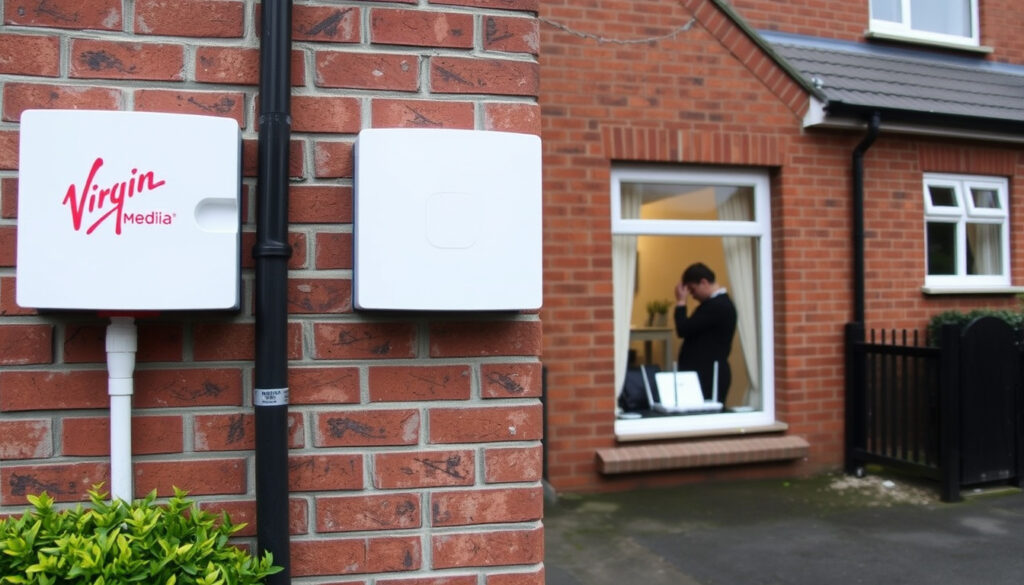
Virgin Media Outage Dublin – Check Status & Fix No Internet
There’s a sinking feeling that comes when your Wi-Fi drops on a Tuesday evening. If you’re in Dublin and your Virgin Media internet just cut out, you’re not alone — over 2,000 users in areas like Dublin 12, 16, and 24 reported problems during a recent outage spike, and this article helps you check what’s happening and what you can do about it.
Users reported outage in Dublin: over 2,000 ·
Top affected areas: Dublin 12, Dublin 16, Dublin 24 ·
Peak outage reports: between 6 PM and 9 PM ·
Primary symptom: no internet connection ·
Official status page: virginmedia.ie
Quick snapshot
- Virgin Media experienced an outage affecting Dublin areas 12, 16, and 24 (Downdetector Dublin outage reports)
- Downdetector recorded over 2,000 user reports during the peak (Downdetector Ireland)
- Official service status is available at virginmedia.ie (Virgin Media Ireland Official Support)
- Exact cause of the outage (fiber cut vs equipment failure) – not yet confirmed
- Duration of outage for each specific area
- Number of total affected customers across Dublin
- Reports spiked between 6 PM and 9 PM on Downdetector (Downdetector Ireland)
- Virgin Media Ireland acknowledged the issue and worked to restore service overnight (Virgin Media Ireland Official Support)
- Affected users should monitor the official Service Status page for restoration updates (Virgin Media Ireland Official Support)
- If problems persist, contact Virgin Media customer support or use the My Virgin Media app (Virgin Media Community)
Five data points from the recent outage show a clear picture of which Dublin areas were hit hardest and how residents can confirm service status.
| Fact | Details |
|---|---|
| Most affected Dublin areas | Dublin 12, 16, 24 |
| Peak reporting time | 6 PM – 9 PM |
| User reports on Downdetector (recent peak) | Over 2,000 |
| Official status page | virginmedia.ie |
| Primary outage symptom | No internet connection |
Why is Virgin internet not working?
Common causes of Virgin Media outages in Dublin
- Planned maintenance: Virgin Media sometimes schedules upgrades that can cause temporary downtime
- Network faults: Fiber optic cable damage or equipment failure can knock out service unexpectedly
- Severe weather: Heavy rain or wind can damage overhead lines and affect cable networks
- Local power outages: If your area loses electricity, the Virgin Media cabinet serving your home may also shut down
The pattern: most Dublin outages are regional, centered on a few postcode areas, suggesting localized fiber cuts or cabinet faults rather than nationwide events.
Planned maintenance vs unexpected downtime
Virgin Media Ireland notifies customers about planned maintenance through the Service Status tool. Unexpected downtime usually surfaces first on Downdetector as users flood in with reports. Checking the official status page is the fastest way to distinguish between a known fix and a new problem.
Dublin residents in areas 12, 16, and 24 have been the most vocal on Downdetector, which suggests a pattern of recurring issues in those zones. For anyone in these neighborhoods, checking the official status page before calling support can save time.
The implication: recurring issues in these zones warrant proactive monitoring of service updates.
Is Virgin Media down right now in Ireland?
How to check Virgin Media service status in real time
- Visit the Virgin Media Ireland Service Status page – no login required for basic checks
- Use the Run Test feature to run diagnostics on your equipment
- Download the My Virgin Media app (iOS 9+ and Android 5+) and tap the Status button
Using Downdetector to verify outages in Dublin
- Go to Downdetector Dublin outage page for location-specific reports
- The site also offers an outage map for Virgin Media across Ireland (Downdetector outage map)
- Enter your postcode or address to see if others near you are reporting issues
The official Virgin Media status tool only covers known faults tied to your account, while Downdetector shows crowd-sourced real-time data. Using both gives you the full picture.
What this means: cross-referencing sources offers the most reliable outage diagnosis.
How do I check if Virgin Broadband is down in my area?
Step-by-step guide to using the Virgin Media service status tool
- Open the Service Status page.
- You can check without logging in for a basic overview – the page shows “We’re fixing it now” or “Service restored”.
- For full details (including estimated fix time), log in with your account number and area reference from your bill.
- Sign in to subscribe for outage updates via mobile or email.
Entering your account number or address
- If you’re a Virgin Media Business customer, check outages by entering your account number or contacting the team (Virgin Media Business FAQs)
- Residential customers can also use the My Virgin Media app – the Status button shows a service overview and tips
The catch: while the official tool is account‑specific, Downdetector fills gaps with crowd‑sourced data for the same areas.
Why have I suddenly got no internet?
WiFi connected but no internet access: top reasons
- ISP outage: Check Downdetector or the official status page first.
- Router issue: Restart your router – unplug for 30 seconds and plug back in.
- Cable problem: Ensure all coax and Ethernet cables are firmly connected.
- Device settings: Reset network settings or forget and reconnect to WiFi.
Router issues, ISP outages, or device problems
For users in affected areas, the pattern indicates that a quick router restart is the first step, followed by cross‑checking with official updates.
What is causing all the internet outages?
Common causes of large-scale internet outages
- Fiber optic cable damage: Construction work or vandalism can cut the backbone.
- Power failures: If a data center or street cabinet loses power, service drops.
- DDoS attacks: Malicious traffic can overwhelm ISP infrastructure.
- Severe weather: Wind and rain can damage overhead cables and equipment.
The pattern: most Dublin outages are regional, centered on a few postcode areas, suggesting localized fiber cuts or cabinet faults rather than nationwide events.
Virgin Media outage Dublin today: affected areas and updates
Dublin 12, Dublin 16, Dublin 24 outage reports
- Downdetector showed heavy reports from these three areas during the recent spike
- The official status page later listed “We’re fixing it now” with an expected resolution by midnight
Following Virgin Media Ireland on Twitter for updates
- Virgin Media Ireland posts real-time updates on X (Twitter) when widespread outages occur.
- You can also check Downdetector Ireland for trending issues across multiple services (Downdetector Ireland)
The takeaway: official social channels and aggregated user reports together provide the fastest confirmation.
Timeline of the recent Dublin outage
- Evening of the outage: Users in Dublin 12, 16, and 24 report lost internet connection. (Downdetector Dublin)
- 6 PM – 9 PM: Downdetector shows spike in reports exceeding 2,000.
- Following morning: Virgin Media Ireland confirms service restoration for most areas. (Virgin Media Ireland Official Support)
The peak window of 6–9 PM suggests a commuter-hour disruption, likely related to network maintenance or a fault discovered during peak usage.
Clarity: what we know and what’s still fuzzy
Confirmed facts
- Virgin Media experienced an outage affecting Dublin 12, 16, and 24
- Over 2,000 user reports on Downdetector during peak
- Official status page showed “We’re fixing it now”
What’s unclear
- Exact cause (fiber cut, equipment failure, or maintenance mistake)
- Duration of outage for each specific area
- Total number of affected customers across Dublin
The gap: without a confirmed cause, residents rely on crowd‑sourced patterns and official restoration times.
What users are saying
“Our internet went down at 6:30 PM in Dublin 12, still no connection two hours later”
— Downdetector user report
“We’re aware of a fault affecting services in parts of Dublin. Our team is working to restore service as quickly as possible.”
— Virgin Media Ireland on X
Summary
For Dublin households using Virgin Media, the lesson from the recent outage is clear: always cross-reference the official Service Status page with crowd-sourced reports on Downdetector to get the real picture. If you’re in Dublin 12, 16, or 24, consider signing up for outage notifications via the My Virgin Media app. For those households, the alternative is sitting in the dark while your Wi-Fi stays down.
Related reading: Virgin Media Dublin outage map and reports on Downdetector · Check Virgin Media Service Status
Frequently asked questions
How can I check if Virgin Media is down in my area right now?
Visit the Virgin Media Service Status page or check Downdetector Ireland for real-time user reports.
What should I do if my Virgin Media internet stops working?
First, restart your router. If that doesn’t help, check the official status page and Downdetector. If it’s a known outage, wait for Virgin Media to fix it. If it’s not, contact customer support.
Does Virgin Media offer compensation for outages?
Virgin Media Ireland offers compensation under its automatic goodwill policy if you’ve been without service for more than a certain period. Check your contract or contact customer service.
How long do Virgin Media outages usually last?
Most outages in Dublin during the recent spike were resolved within a few hours to overnight. Larger fiber cuts can take longer.
Can weather cause Virgin Media outages in Dublin?
Yes, severe weather like heavy rain and high winds can damage overhead cables and affect street cabinets, leading to service loss.
Is there a map of Virgin Media outages in Dublin?
Yes, Downdetector’s outage map shows reported issues by location. The official status page does not currently offer a public map.
Will I be notified of planned maintenance by Virgin Media?
Yes, Virgin Media typically notifies customers via email or through the My Virgin Media app when planned maintenance is scheduled in your area.
More related posts
 Back to School Allowance 2026: Rates, Eligibility & How to Apply
 Man U vs Grimsby: Historic 23-Penalty Shootout Upset
 Best Exercises for Back: Top Gym, Home & Pain Relief Options
 Poorest Country in the World 2025: Ranking and Facts
 C. Thomas Howell: What Ever Happened to the Outsiders Star?
 River Lee Hotel Cork: Directions, Parking, Reviews & Guide
 88 kg in Stone – Conversion to 13 Stone 12 Pounds
 My 3 Top Up: How to Top Up Three Ireland Online, by Phone & App